TSP1 Dev Kit Quick Start#
What’s in the Box#
Link to Quick Start Guide (this document)
AI accelerator board (PCBA) preloaded with ASR (EN-US) model
USB-C to USB-C/A cable
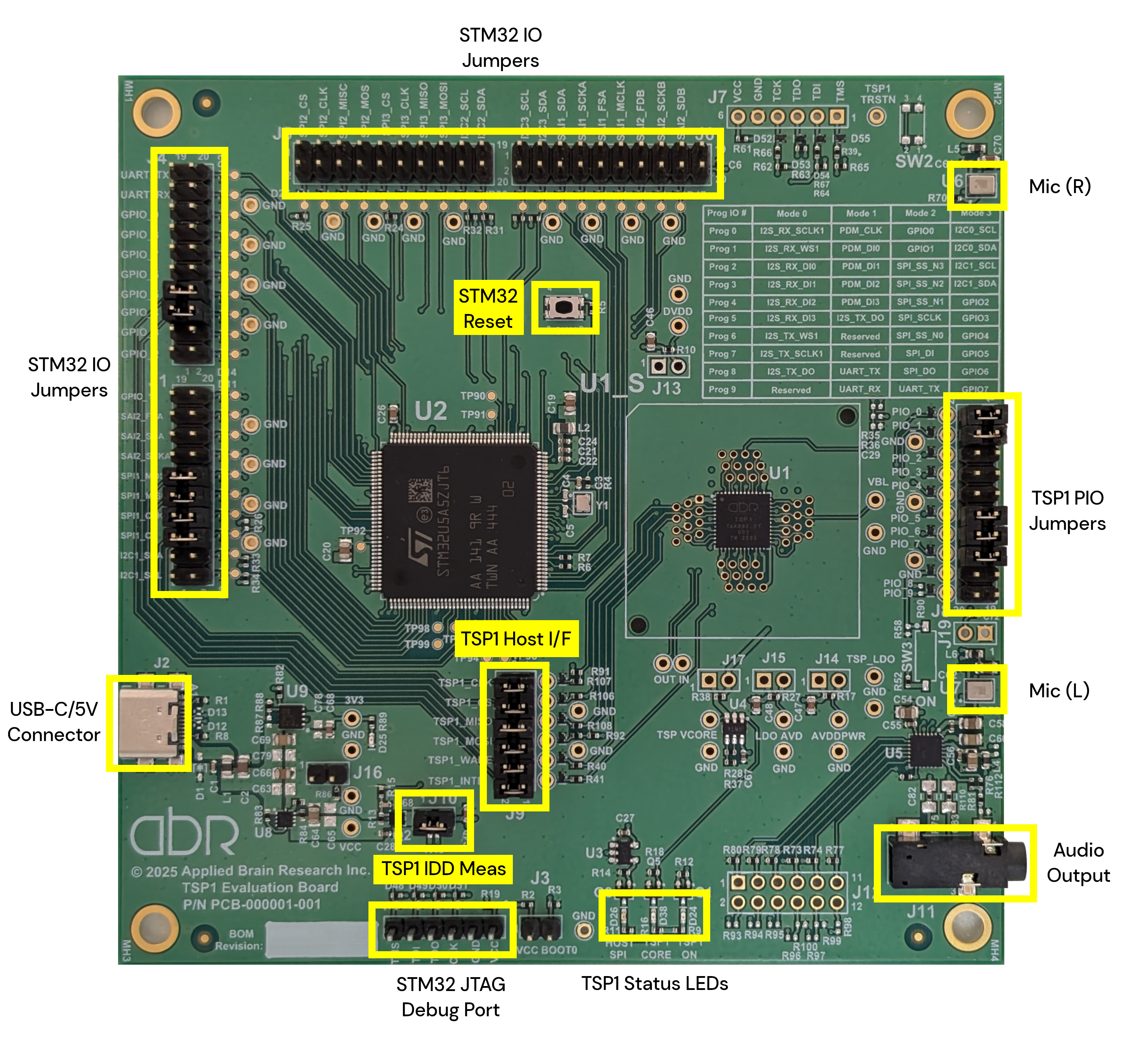
Fig. 1 TSP1 Development Kit PCBA#
System Requirements#
Operating system compatibility: Windows (x86 32/64-bit), macOS (Apple silicon/Intel), Linux (x86/arm 32/64-bit)
USB port requirements: USB 2.0
Step 1: Download Command Line Interface (CLI) Application#
Download the
tsp-cliarchive for your OSExtract the
tsp-cliarchive
Step 2: Connect Hardware#
Connect host PC to dev kit with included USB-C cable (connector J2)
Confirm power LED comes on
Step 3: TSP1 Status Test#
Open command prompt/terminal at the location where you extracted the package
Run:
./tsp-cli infoConfirm output similar to:
[INFO ] Successfully connected to the TSP.
{
  "tsp_id": "TSP1",
  "fw_version": "1.0.0",
  "in_bootloader": false,
  "customer_info": "00000000000000000000000000000000",
  "tool_info": "6dd74b0e415c7bbe53bbe0fac2b5981b",
  "net_info": "88192dbe9848ad4e705c296dc2d7d358",
  "active": true
}
Step 4: Run ASR Application#
Open command prompt/terminal
Run:
./tsp-cli asrSpeak into the microphones on the PCBA (Mic L and R above)
Transcribed text will be output to the terminal window
Ctrl + C to exit